
How do you set up both channels?
Save one YouTube handle and one Twitch username in your TikChat account. In this walkthrough, imagine you’re streaming a drawing lesson. YouTube viewers are already watching the pencil sketch. Your Twitch broadcast will join for the inking.Open Account, find the YouTube row, enter your channel handle and click Save channel. Repeat in the Twitch row with your Twitch username. Use your own channels in place of these illustrative names.| Platform | Example channel | When to connect |
|---|---|---|
| YouTube | @InkDeskStudio | At the start of the sketch |
| Twitch | inkdesk_live | When the inking begins |
How do you start with YouTube alone?
Open the TikChat operator, select only YouTube under Choose where you’re live, then press START. If you have the watch URL for today’s lesson, you can paste it into YouTube LIVE link (optional) before you start.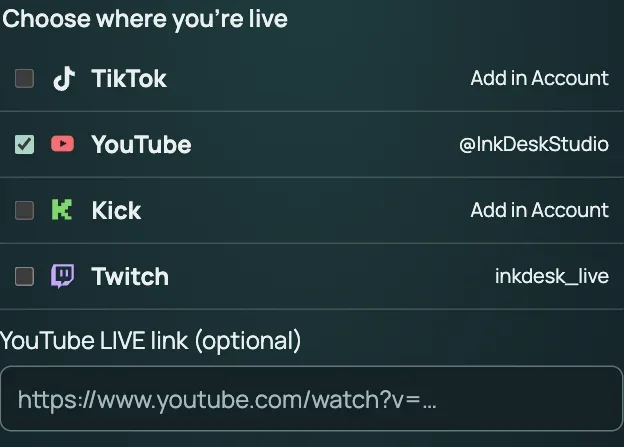
Select only YouTube to start. The saved Twitch channel can join later. Screenshot from the app with example data.
Start your broadcast on YouTube as usual. START connects TikChat to its chat. When a viewer asks about the pencil, look for the YouTube play icon beside the comment.
How do you add Twitch after the session starts?
Once your Twitch broadcast is live, open the operator settings, choose Connections and click Add Twitch to this LIVE. You’ll find the button beside your saved Twitch channel under Live connection. Keep the YouTube session running while Twitch connects.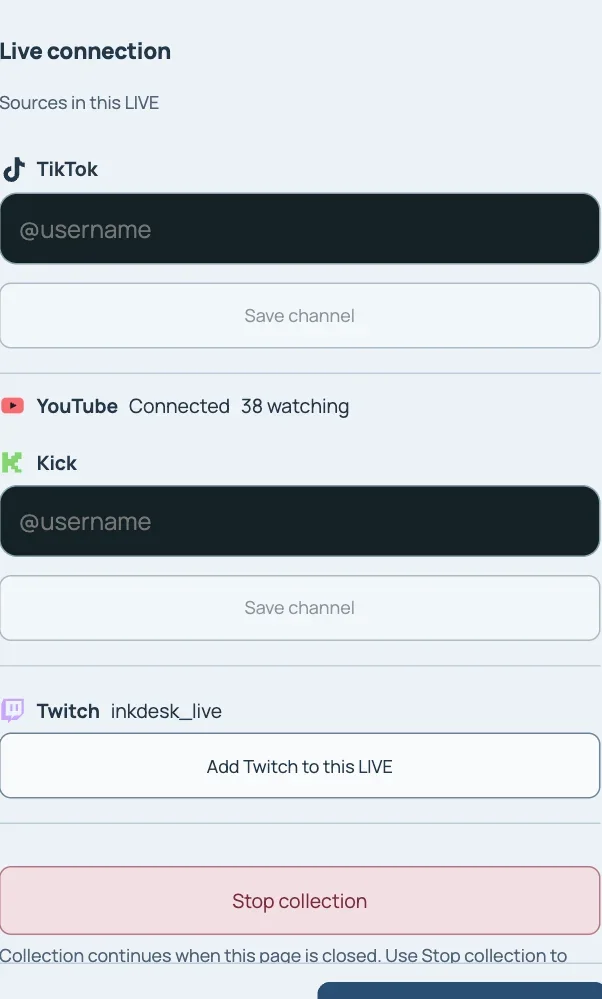
Use the button beside your Twitch channel while YouTube stays connected. Screenshot from the app with example data.
Return to the feed. The pencil question stays in the conversation, and new Twitch comments can appear alongside new YouTube comments.
How can you tell which chat a question came from?
Read the platform icon next to the viewer’s name. YouTube uses a play button and Twitch uses its chat-bubble logo. Here’s how two questions might arrive during the lesson, with fictional messages and names.| Platform icon | Viewer | Comment in your feed |
|---|---|---|
| YouTube · play button | Mira | Which pencil did you use for the outline? |
| Twitch · chat bubble | Jules | Could you tilt the pen so we can see the nib? |
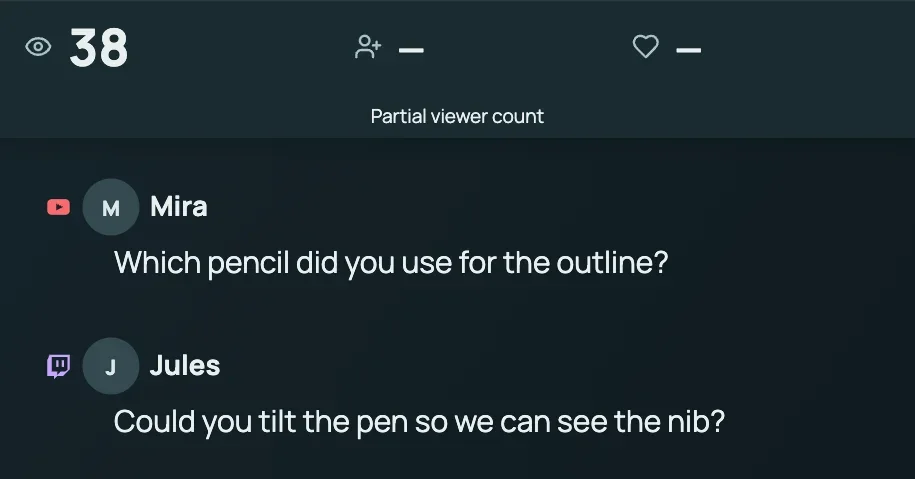
The Twitch question has arrived even though only YouTube has supplied a viewer count. Screenshot from the app with example data.
You can answer Mira aloud while you pick up the pen, then tilt it for Jules. Both questions stay in the same reading window.